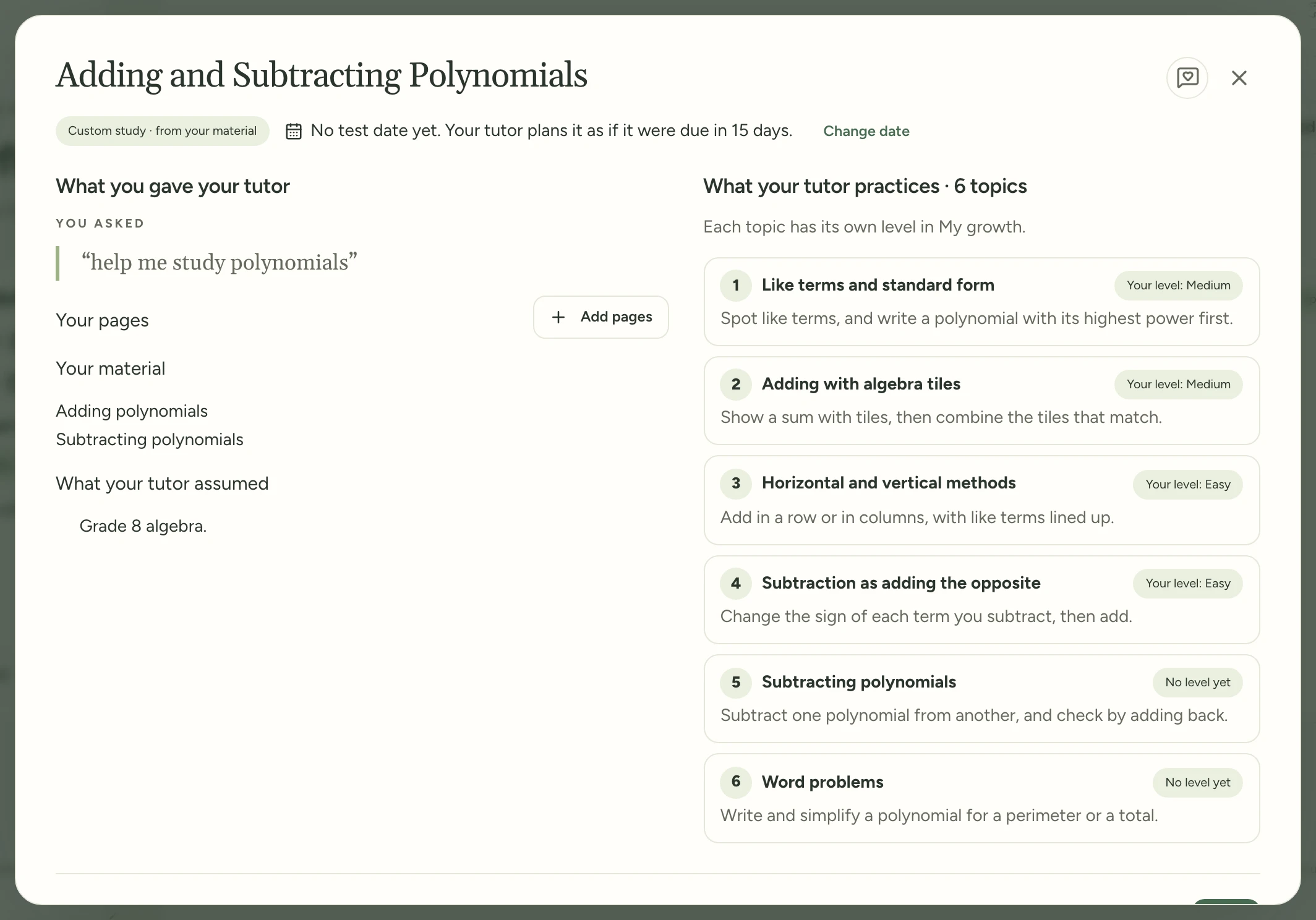
Your homework now counts as practice, so you don't have to choose between it and your topic.
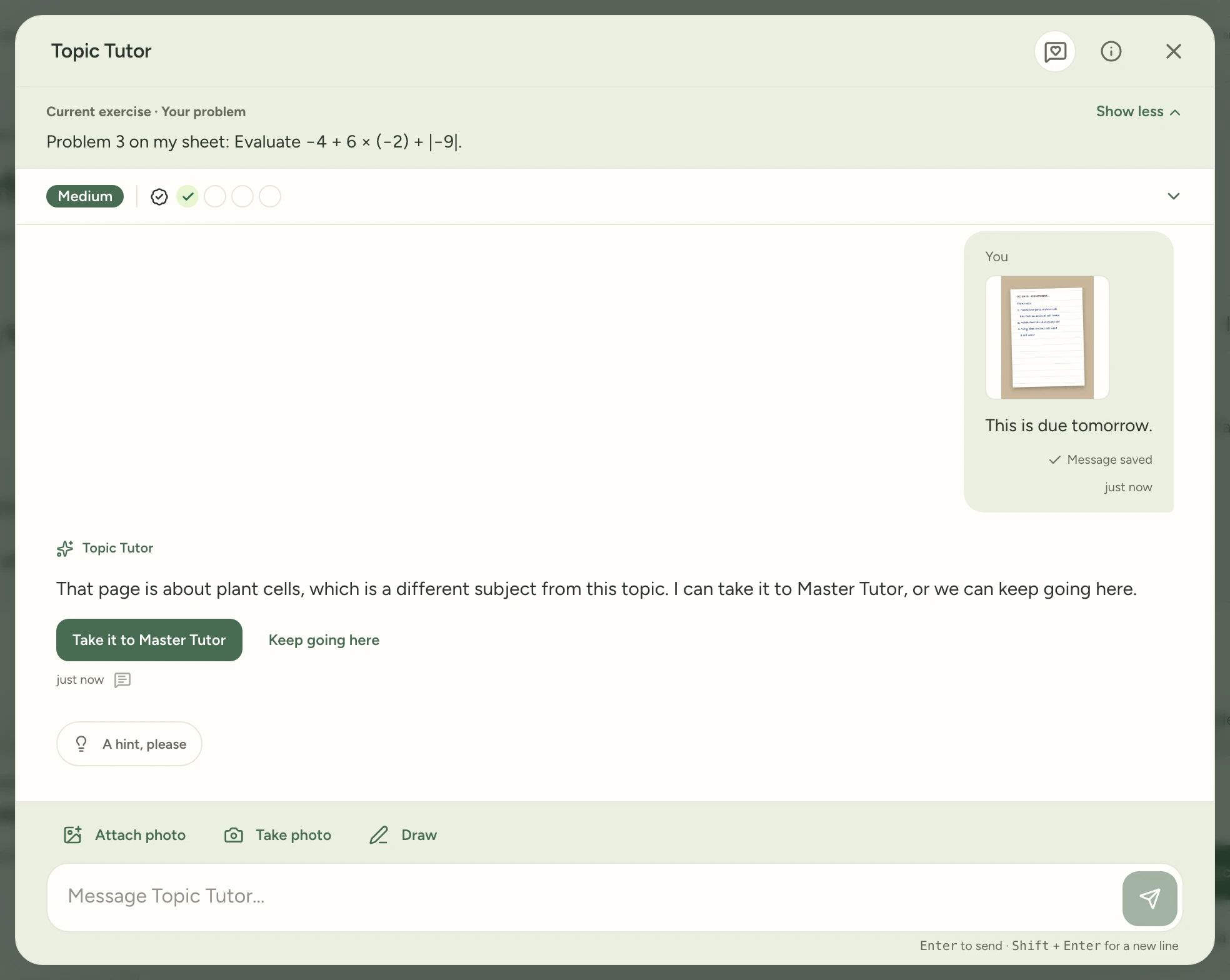
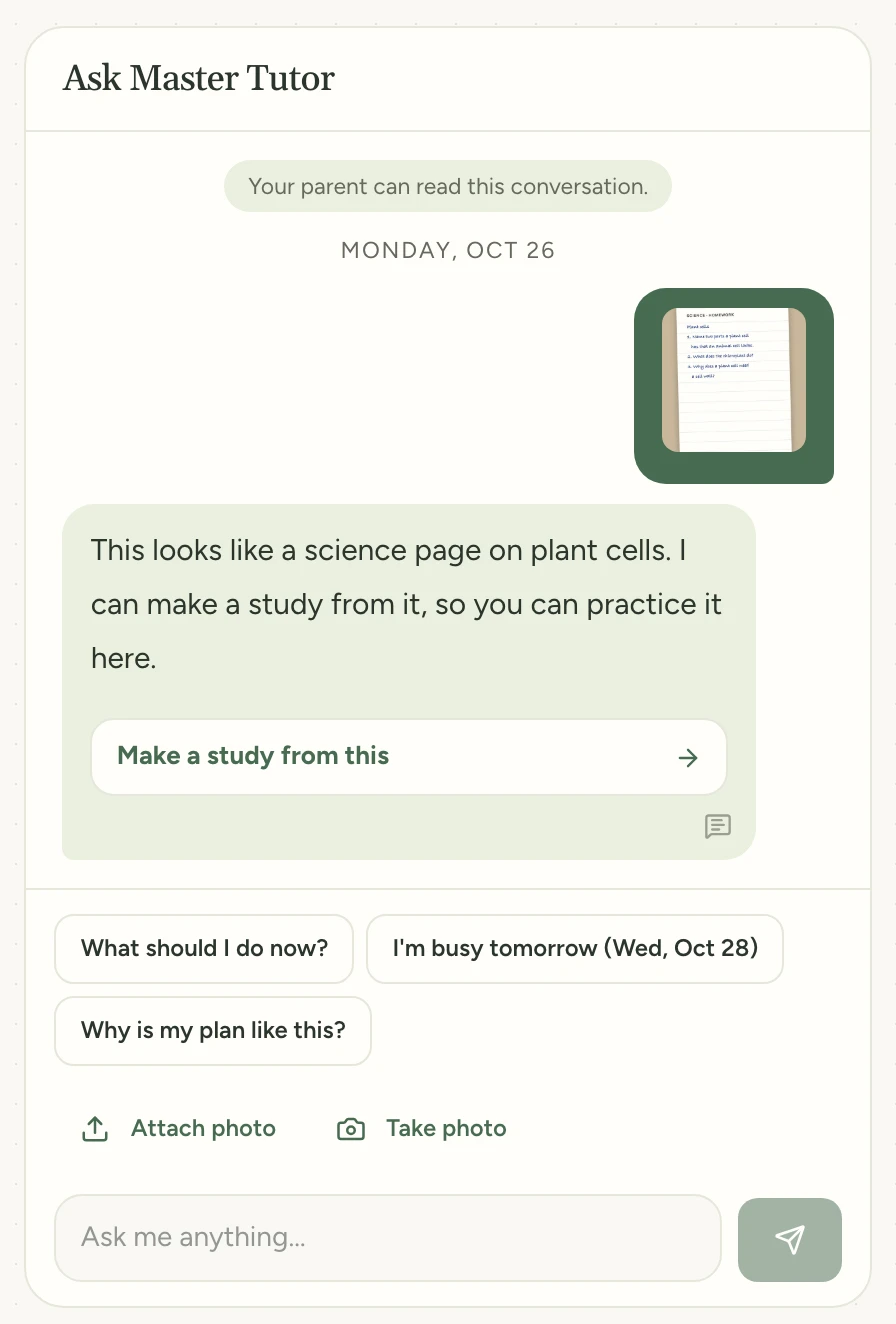
Send a problem or a photo of your page and Topic Tutor makes it your exercise, marked Your problem. Your answer counts like any other. If the page is for another subject, tap Take it to Master Tutor. It opens there with your page attached. Or tap Keep going here.
What's new now shows how to try each new feature, step by step. Each feature's page numbers the steps on pictures of the screen, so you see where to tap before you try it. A short clip plays the steps on a phone when you tap it. Text someone a feature's link and they see its picture.
A dot beside What's new shows there's a new feature to try. It goes away once you open What's new, so it only shows for features you haven't seen yet. A parent looking at your space leaves it there for you. You can also follow What's new in a feed reader.
One card per study, and Master Tutor at the top The home page now shows one card for each study, with its test date and whether you're on track. Under them are up to three topics you've started and not yet brought to your target level. Tap a topic to open it, or All topics for the study's map. Master Tutor, the home page tutor that was called My tutor, now sits right under the greeting. The tutor in a topic chat is called Topic Tutor.
Messages with four to six pictures now reach your tutor A message with more than three pictures couldn't be saved, and Retry saving message failed each time. Now your tutor gets every picture, up to six, so a homework sheet over several pages fits in one message.
Evening study now counts on the day you did it For many learners, a new day began at 5 PM in California or 8 PM in New York, so evening work counted for tomorrow. Now My day, minutes studied and the Practice garden start a new day at midnight in your family's time zone. Practice days and streaks are counted again this way, so a streak may change once.
Family access now shows your email if you joined before October 3 You and the other adult in your family now see the email address you sign in with, and invitations you send name you. If yours is still missing, sign out, then sign in again.
Circle the problem on your screen when you send feedback
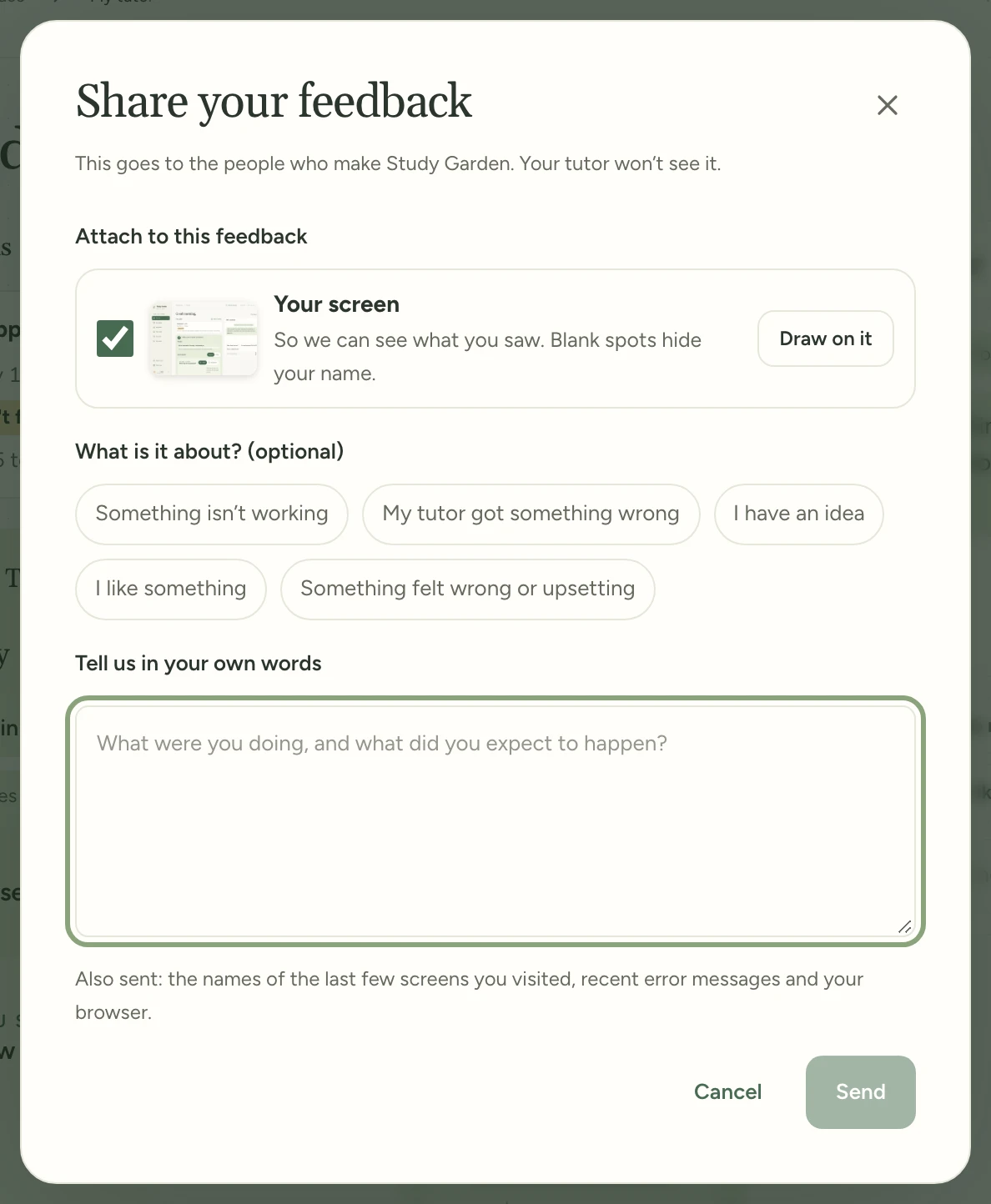
Pointing at a problem is quicker than describing where it is. And you see exactly what goes with your words before you send them.
Before you send, you see your screen and, from the tutor, its latest messages. Tap Draw on it to circle something in red with your finger or Apple Pencil, or See them to read the messages. Untick either to leave it out. Names and email addresses are left blank on the screen you send, and large text keeps the size you see.
Send feedback from any screen, the tutor included Send feedback moved from the menu to a round button at the top right of every screen and window. In the tutor it sits beside Close, and your feedback comes with the chat's latest messages.
Pictures sent with feedback are deleted after 90 days. Until it’s deleted, you can download it from Export JSON in Parent space. If your child is under 13, you’ll agree once to the updated consent, and the card payment that verified your earlier one still counts.
Gray text is easier to read, and Evening keeps your colors Hints, dates and other gray text are darker in Daylight, and error messages are lighter in Evening, so both read clearly. In Evening, buttons now keep your palette’s own color, like Study Garden’s green.
See which step your child’s invitation is waiting on When your child creates a sign-in, Family access shows Waiting to verify email, the address it went to, and what to do next. If you open your child’s link while you’re signed in, the page says the link is for your child.
Lightning mode: Difficult questions within the test's time
Tests give each question a set time, about 16 seconds on the HSPT Verbal part and about 57 on ISEE Quantitative Reasoning. Answering correctly comes first; answering within that time takes practice of its own.
Once you pass Difficult, the highest of the three levels, in a topic, your tutor may suggest Lightning mode. It gives you new Difficult exercises with a clock set to the test's time for each question. Pass 3 of 4 in time and the topic gets a lightning bolt. Your times, a chart in My growth, show how much less time you need than when you passed Difficult. In a study you made yourself, the target is your own time.
Find it:My growthA topic you passed at DifficultStart Lightning mode
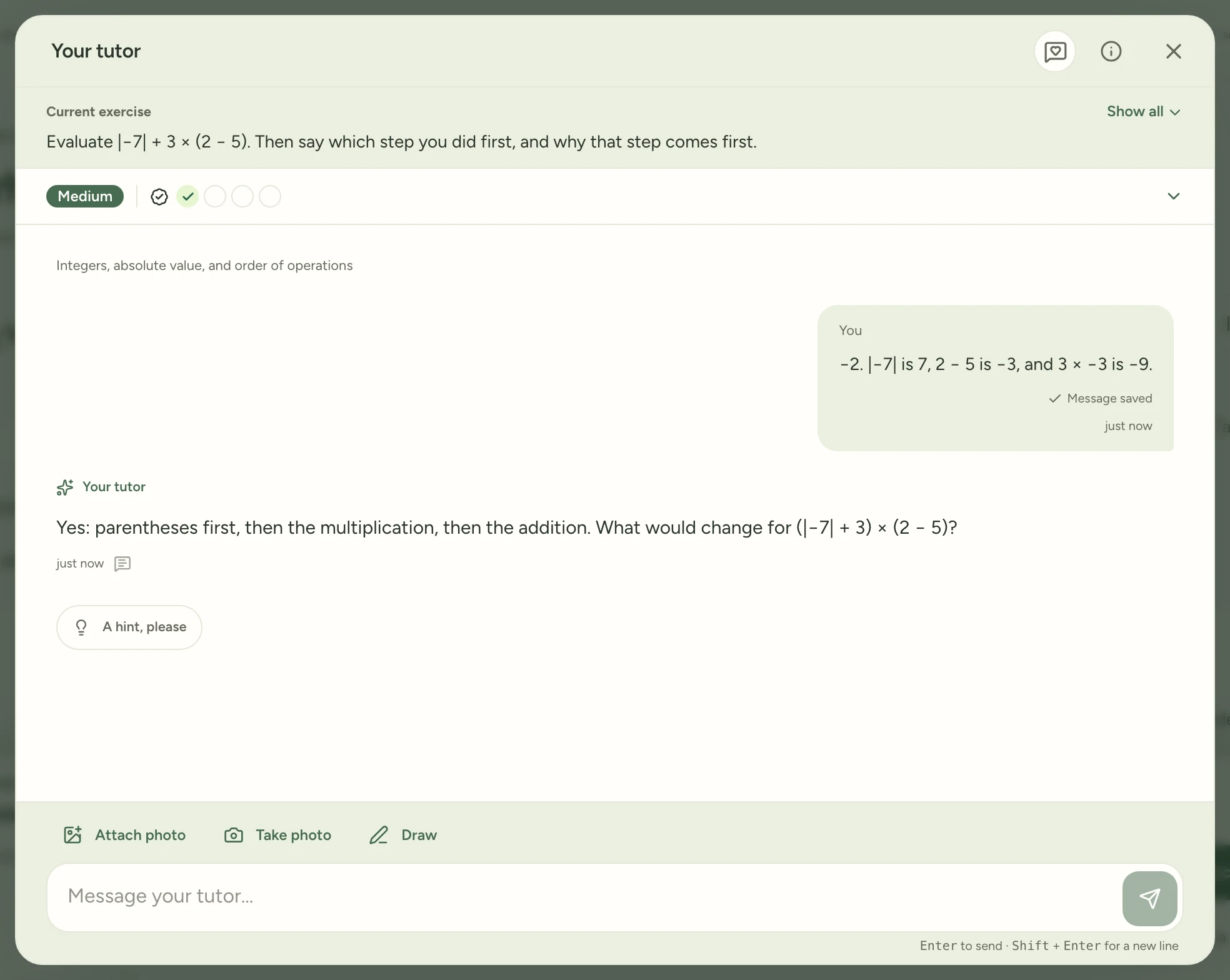
On an iPad, the exercise and your progress were taking up more of the screen than the chat.
Now each shrinks to one line, so the conversation gets most of the screen. Your level and your current goal stay in view. Tap Show all to see the whole exercise again.
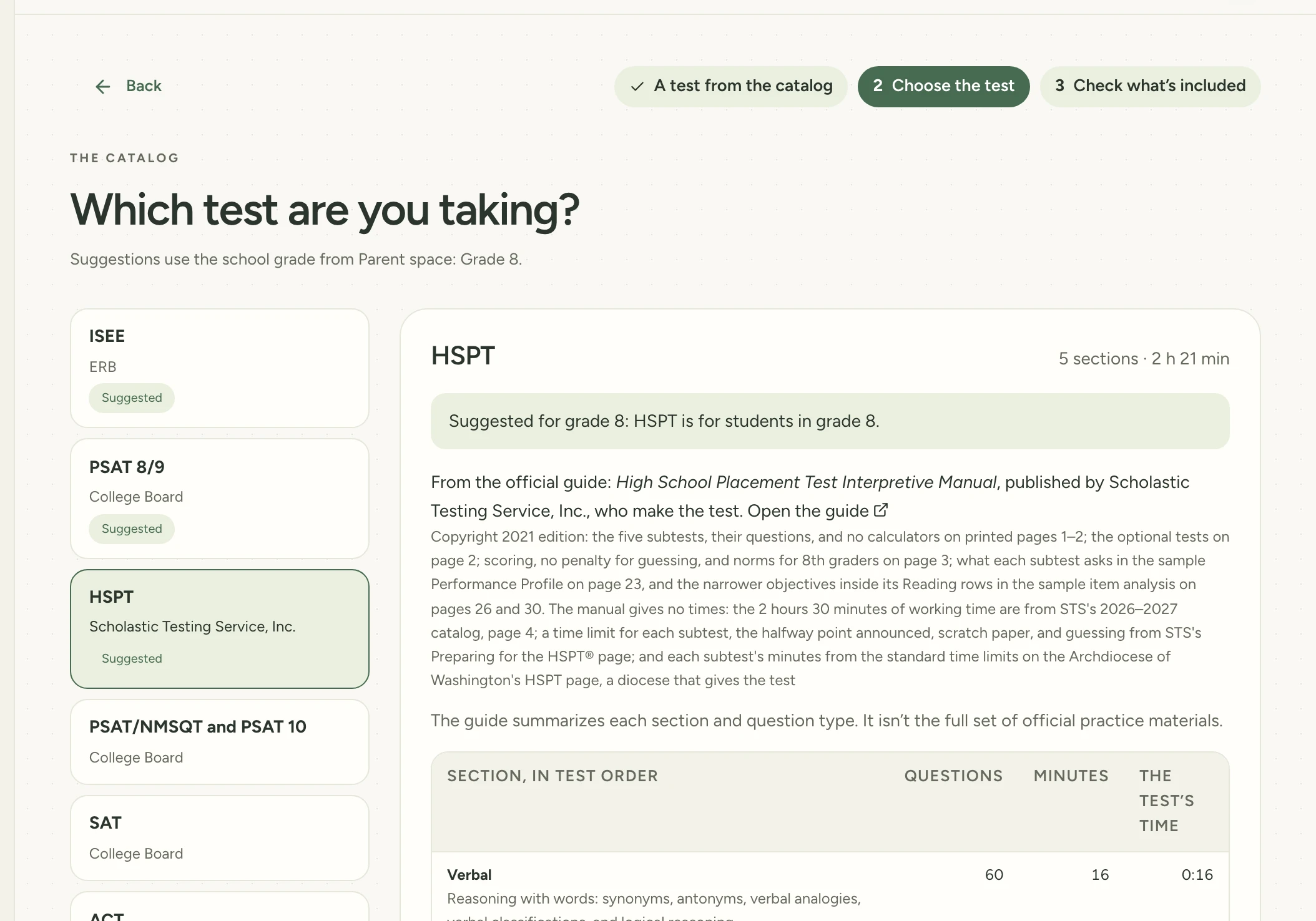
Many Catholic high schools use the HSPT entrance test. Until now, you had to set up your own study for it.
Now you can pick it from the catalog, our list of ready-made test studies. Its topics cover all five parts of the test and come from the test maker's own guide. Test myself, the practice test you take without the tutor, isn't ready for the HSPT yet.
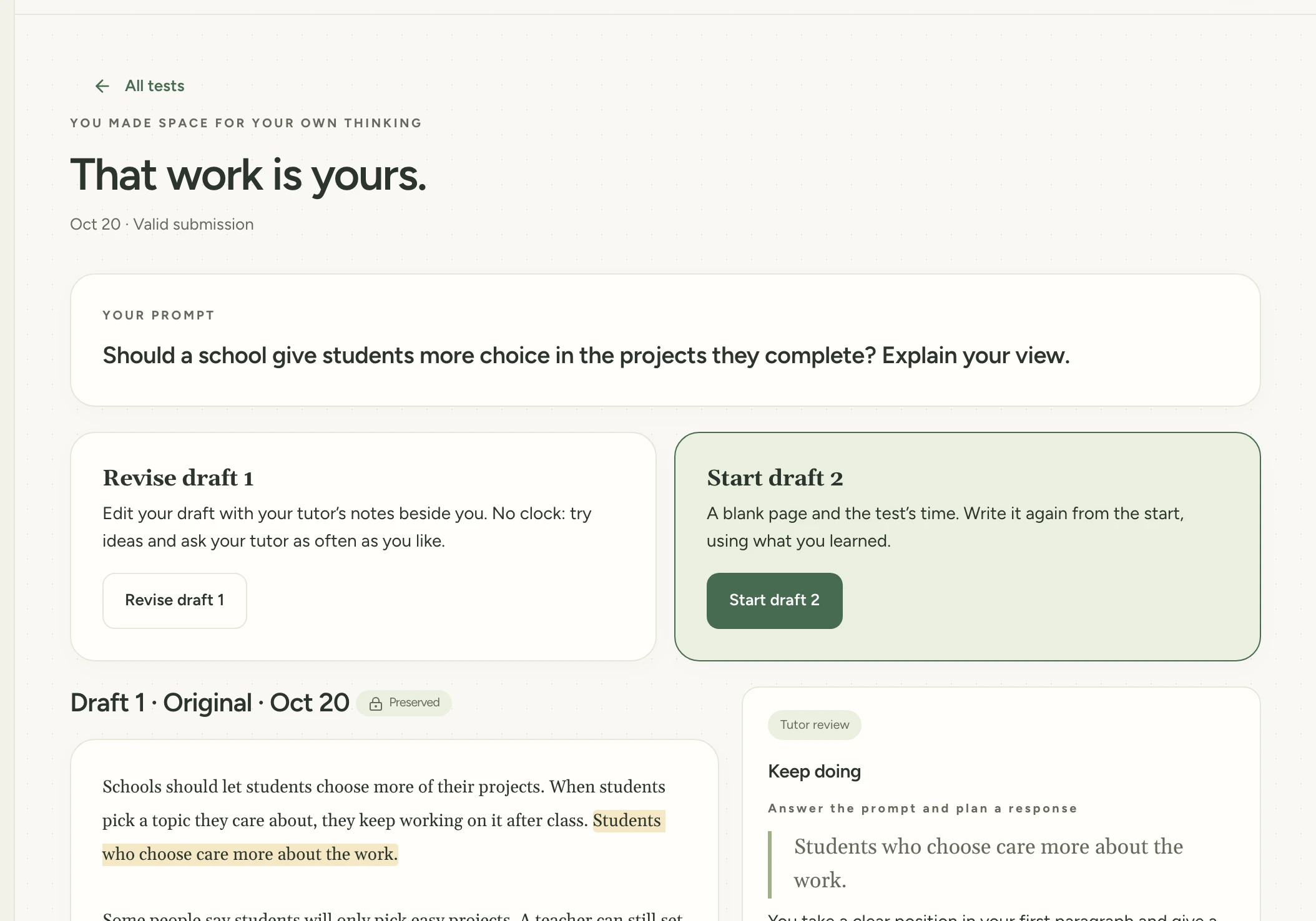
Fixing an essay with your tutor's notes shows you what to improve. Writing a new one against the clock, with no notes, shows what you can do alone.
The essay page now gives you both. Revise your latest draft with no time limit and the notes beside you. Or start a new draft on a blank page, timed like the real test.
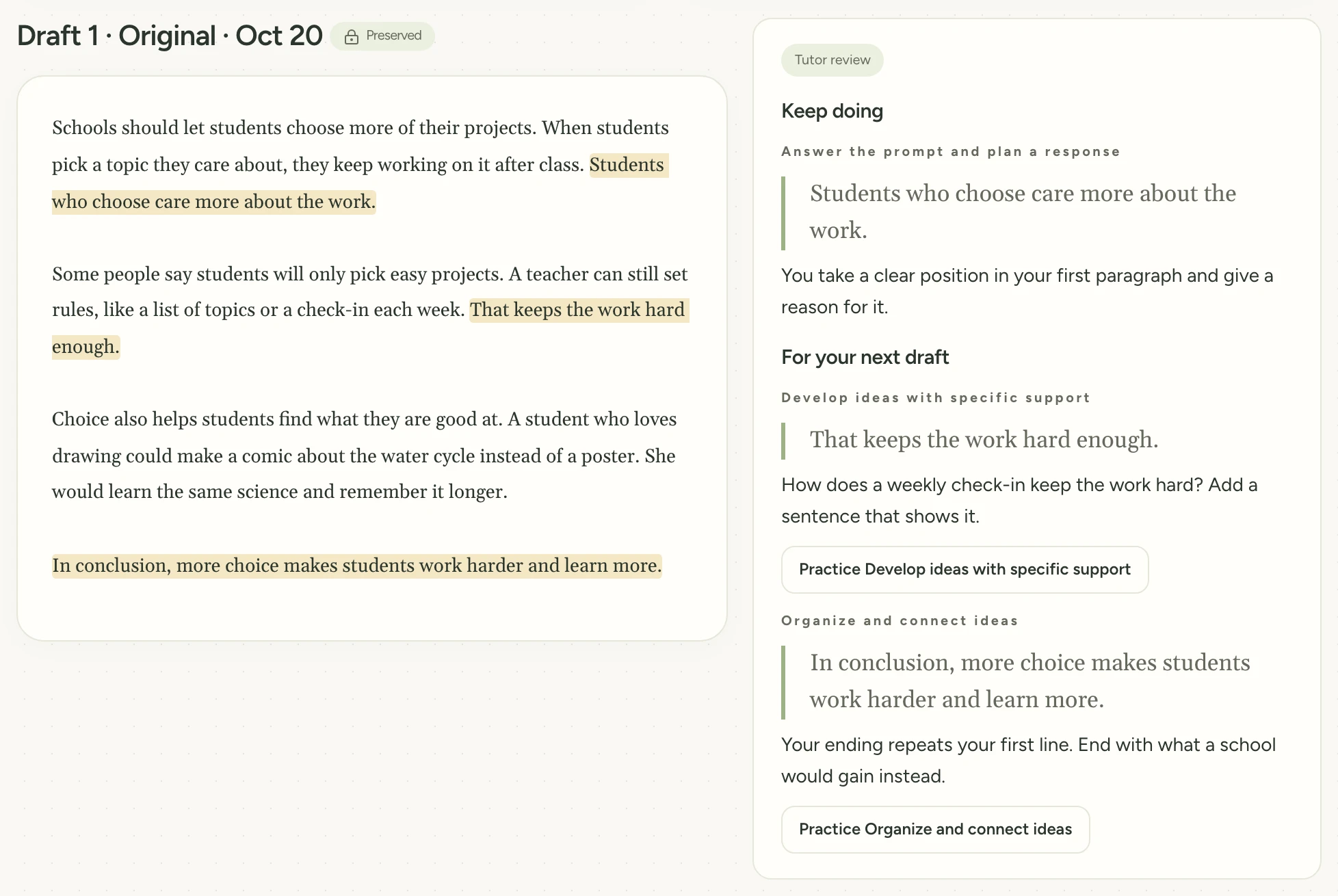
Your tutor's comments on an essay used to appear only after someone opened it, at the bottom of a long page.
Now your tutor reviews an essay as soon as you hand it in. Master Tutor tells you when the review is ready, and a New badge marks the ones you haven't read.
Your feedback now comes with a picture of your screen. We see exactly what you saw, so we can fix the right thing. The form lists the picture under “Sent with it” before you send.
Practice comes first on each study card. The main button now says Practice this study, since that's usually why you open one. View & edit study sits beside it.
On a weak phone signal, sending feedback no longer gets stuck. After 20 seconds it tells you the connection dropped, so you can try again. Labels on the tutor's number lines also stop printing on top of each other.