NewFor students
Bring your homework into a topic chat
Your homework now counts as practice, so you don't have to choose between it and your topic.
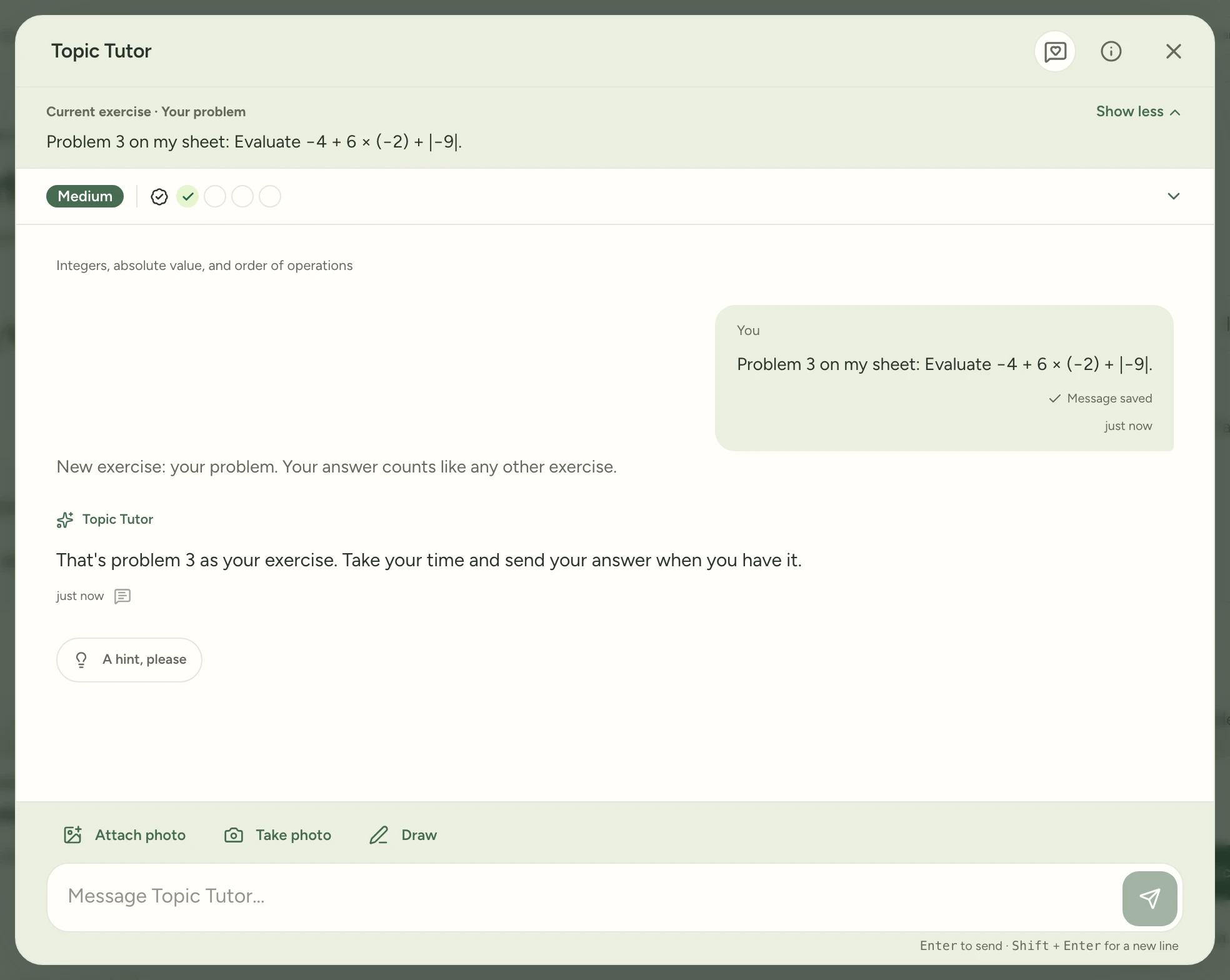
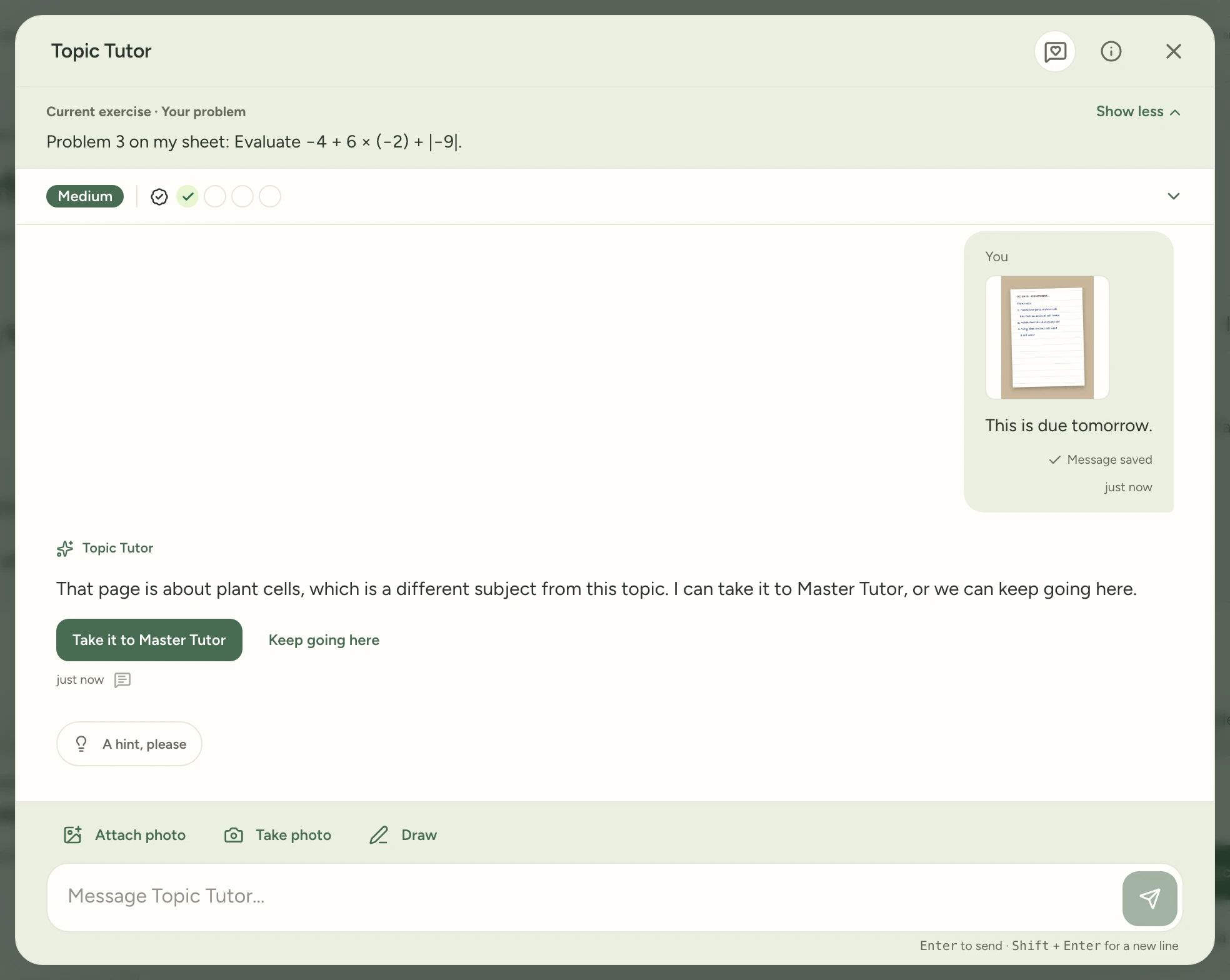
Send a problem or a photo of your page and Topic Tutor makes it your exercise, marked Your problem. Your answer counts like any other. If the page is for another subject, tap Take it to Master Tutor. It opens there with your page attached. Or tap Keep going here.
Find it:Topic TutorYour problem
How to try it
Open a topic and tap Practice to start a chat with Topic Tutor. Type a problem from your own sheet, or tap Attach photo and choose a picture of the page.
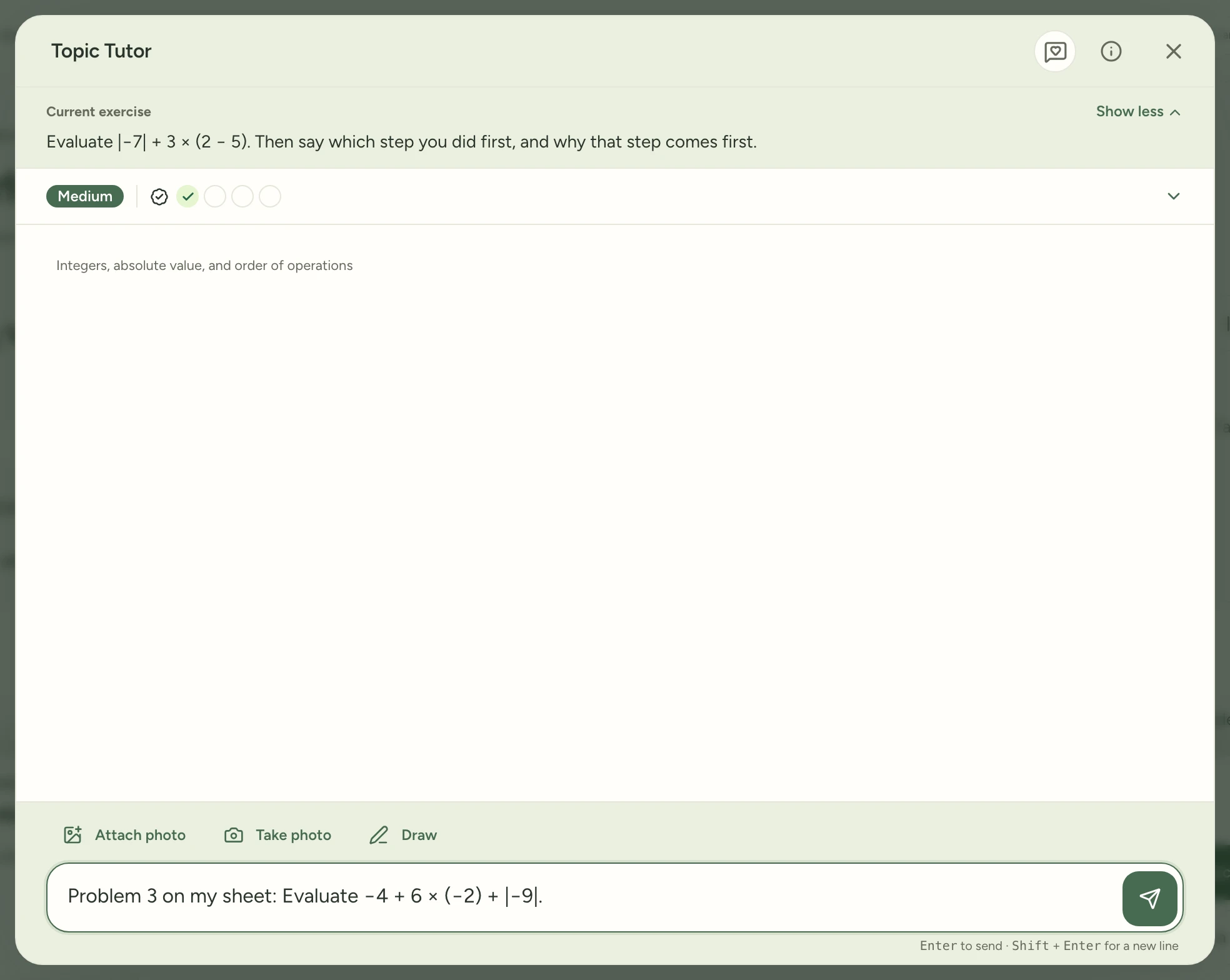
Send it. Topic Tutor makes it your exercise and marks it Your problem. Your answer counts like any other exercise.
If you send a page from another subject, two buttons appear under the reply. Tap Take it to Master Tutor.
Master Tutor opens with your page attached.
mystudygarden.com/whats-new/bring-your-homework-into-a-topic-chat